An app, not a site
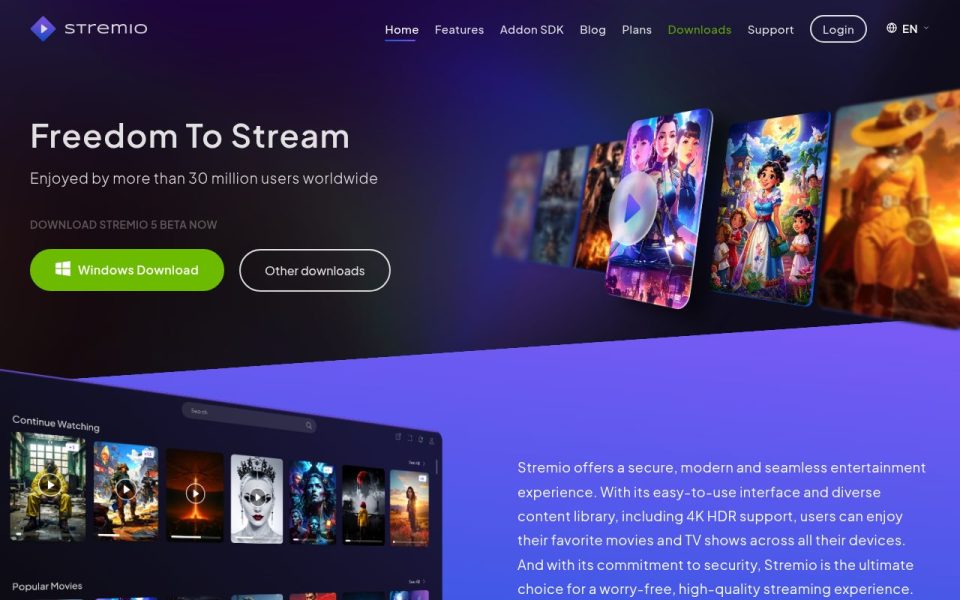
Stremio’s homepage is the download page for a media player, and it says so right away. Dark purple hero, Freedom To Stream in big white letters, a claim of more than 30 million users, and a bright green Windows Download button with Other downloads next to it. A small line above the buttons tells you the download is Stremio 5 beta. Below that, a tilted mockup of the app shows Continue Watching and Popular Movies rows, which gives you a fair idea of what you’ll actually be looking at once it’s installed. A cookie notice slid up from the bottom on my visit and wanted a Got it! click.
Where the content comes from
This is the bit people misunderstand. Stremio doesn’t host or provide anything itself; its own FAQ says so in plain words. You install the app, make an account or use Guest mode, then add add-ons from the catalogue, and those add-ons fill the Discover and Board sections with movies, series, TV channels, podcasts and so on. The official catalogue is the safe starting point. The FAQ also points to community extras like PimpMyStremio, Reddit communities and Stremio Downloader for people who want more.
It can play magnet links, normal HTTP links and torrent files you drag onto the window. That’s convenient, but worth understanding: when an add-on streams from a torrent, you’re joining a swarm, and other peers can see your IP address.
Set-up and platforms
The listed platforms are Android, Android TV, Windows, macOS, Linux and LG TV. iPhone and iPad users are pointed to Stremio Web, which the site admits is more limited. Your library and watch progress sync across devices once you log in, so you can start something on the laptop and finish it on the TV. Chromecast works from the desktop app and Android. Offline downloads are listed as coming soon, with a caching workaround in the meantime.
Only download it from stremio.com or the official app stores. Popular apps attract fake installers, and a modified APK from a random forum is not where you want to start.
Privacy and the open-source angle
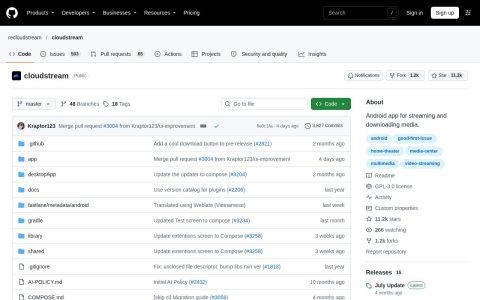
Stremio says it collects only the minimum needed to create and sync your account, and Guest mode skips the backend entirely, at the cost of sync. The desktop app is open source with a public GitHub organisation, and the FAQ says add-ons don’t run code on your machine. That’s a reasonable setup. The website itself does load Google Analytics and an ad-tracking tag in the background, but I saw no banners or popups on the page.
The website experience
The site loads at a decent pace and the menu is short: Home, Features, Addon SDK, Blog, Plans, Downloads, Support and Login. Developers get the Addon SDK link, and anyone curious about paid options can check the Plans page, since the homepage doesn’t spell them out.
Bottom line
If you want one tidy app that pulls together several sources with a proper TV interface, Stremio is still the one people recommend first. Just be choosy about which add-ons you install, and think twice before turning on torrent streaming without some privacy protection.