Release names, not just titles
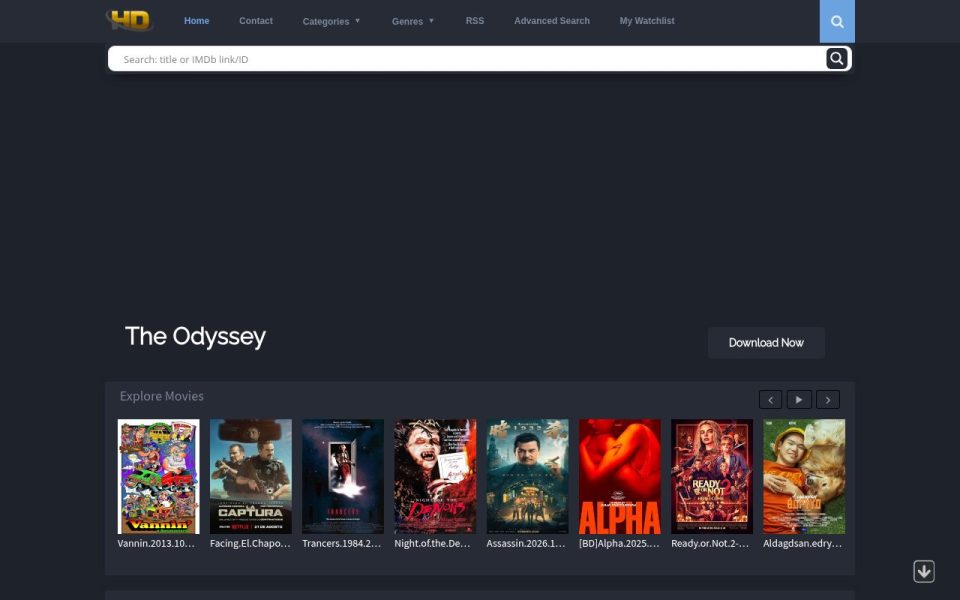
Most download sites show you a poster and a movie name and leave you guessing. HDEncode shows you the actual release. The Explore Movies carousel on my visit had things like Kit.ji.jin.si.1992.1080p.Blu-ray.Remux.AVC.LPCM.2.0-HDT at 26.8 GB, Hardcore.1979.Repack.1080p.Blu-ray.Remux at 28.9 GB, and a 2160p Disenchanted DSNP WEB-DL with Dolby Vision at 14.2 GB. If you care about which group encoded something and whether it’s a remux or an x264 rip, this is your kind of site.
The page title still says HDEncode.com even though you’re on the .org domain, so don’t let that confuse you.
How fast it moves
The Latest Releases list is where I spent most of my time, and it’s busy. The top entry, an Alice 2009 season pack in 1080p at 22 GB, had been posted two minutes earlier. A MotoGP Qatar warm-up went up eight minutes before that, then a FraMeSToR remux of One-Armed Boxer, a Saturday Night Live episode and a UFC Fight Night card. Movie entries carry an IMDb-style rating with vote counts, genres and a short plot. TV entries swap that for a block of media info: duration, video bitrate, frame rate, audio format. For sports releases that’s actually more useful than a synopsis.
The mix is broad, too. Old Hong Kong action, catalogue titles like Gregory’s Girl from 1980, German dramas, Chinese web films and fresh 2026 streaming releases all sit side by side.
Getting around
The layout is a dark navy grid with grey text and a gold HD logo, very much a WordPress theme, but a tidy one. A wide search bar sits right under the menu and accepts a title or an IMDb link or ID, which is handy if you’ve already got the IMDb page open. Categories split into Movies, TV Shows and TV Packs, Genres goes all the way down to Film-Noir and Western, and there’s an Advanced Search, an RSS feed and a My Watchlist. The sidebar adds Quality filters for movies and TV, plus Release Year. There was even a short blog post from 30 October explaining why you should use a download manager for big files, which, given the file sizes here, is fair advice.
Links, ads and speed
The homepage doesn’t spell out which file hosts it uses, so open a release and check the links before you get attached to a 28 GB remux. Hosts drop dead links over time, and older posts are where you’ll notice it most.
Ads were barely there. The scan picked up almost nothing third-party beyond Google Fonts, no popups fired on load, and pages came up quickly. On a phone the layout reflows into a single column without breaking.
Worth bookmarking?
For people who pick releases by group, codec and bitrate, yes, easily. It’s one of the cleaner DDL indexes I’ve looked at, and the update pace is impressive. Casual downloaders who just want a movie might find the wall of dotted filenames a bit much, and you’ll want a premium host account or a lot of patience for the bigger files.